
White underbase, done right, every time.
RIPReady builds the white spot channel for DTF, UV and eco-solvent prints in Photoshop, so you stop masking it by hand. Open the PDF, check the underbase, process.
Windows 10/11 · Requires Adobe Photoshop 2020 or newer · Free to try; processing needs a licence.
- Your PDF
- Colour
- White underbase
See the underbase
Drag across the design. Left: the artwork. Right: the white underbase RIPReady produced for it in Photoshop.


How it works
Open the PDF
Open a print-ready PDF, or add a whole folder to the queue. RIPReady shows it on a magenta check colour, so transparent areas stand out.
Check the underbase
Pick your printer's device profile and see an estimate of the white underbase before Photoshop runs. Adjust the choke, the spread and the ink percentages until it looks right.
Process
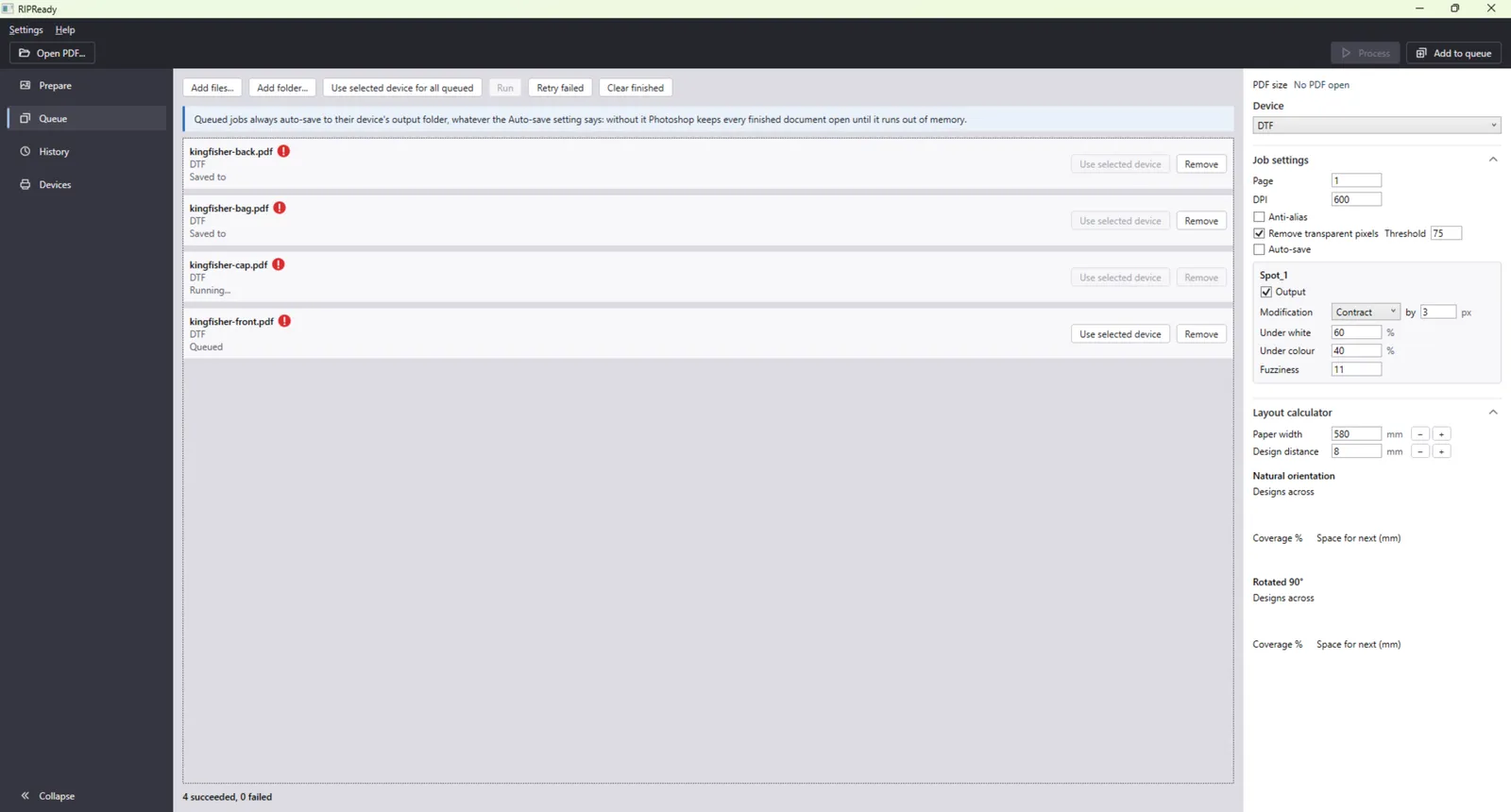
RIPReady drives Photoshop to build the spot channel and saves a layered TIFF or PDF your RIP software reads. Every job is recorded in History.
Everything around the underbase
The Photoshop steps are the same ones proven on real RIPs. RIPReady handles everything around them.
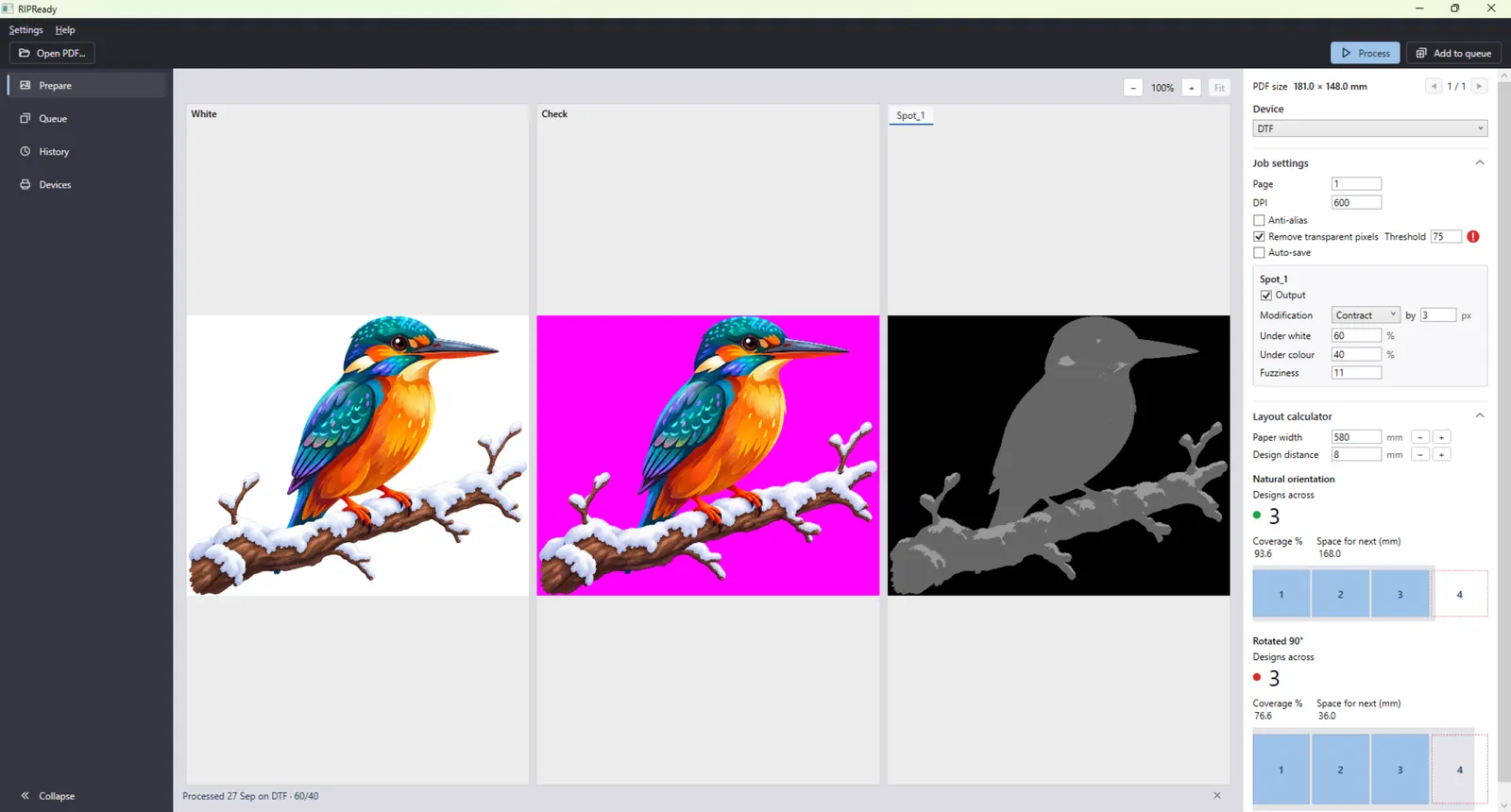
Underbase preview
See an estimate of the white channel on screen before a Photoshop job starts.
Choke and spread per spot
Contract or expand each spot channel by pixels, with separate ink percentages under white and under colour.
Device profiles
One profile per printer: resolution, media width, output format and folder, spot channels. Export them and import them on another PC.
Batch queue
Add files or folders and process them in one run. Retry the ones that failed.
Job history
Every processed job is recorded with its settings, so you can find it and run it again.
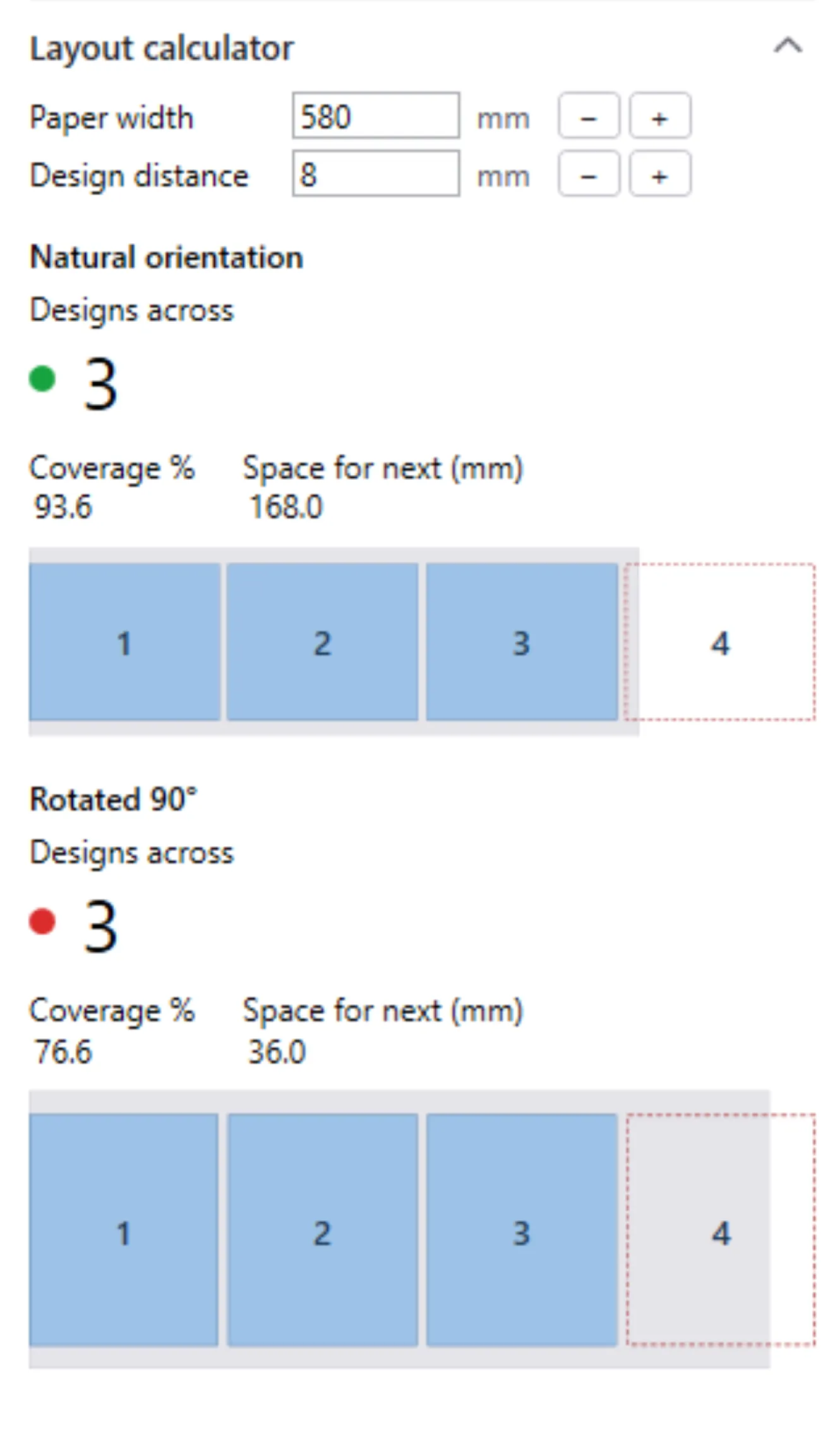
Layout calculator
See how many copies fit across your media, in natural orientation and rotated 90°.
Works offline
Activate once online. After that, a shop-floor PC without internet keeps working.
Updates when you choose
RIPReady tells you about a new version. Nothing installs until you say so.
Pricing
€50 per seat, excl. VAT
One-time payment. A perpetual licence for every RIPReady 1.x release.
- Try everything free; only processing needs a licence
- Works offline after a one-time activation
- Move a seat to a new PC yourself, from the app
- EU reverse charge when you give a valid VAT ID
Questions
Do I need Photoshop?
Yes. RIPReady uses Adobe Photoshop 2020 or newer, installed on the same PC, to build the spot channels. It starts Photoshop and drives it for you.
Which RIP software can read the output?
RIPReady saves a layered TIFF or PDF with the white underbase as a named spot channel, the form RIP software commonly expects for white. If you're not sure about yours, email sales@ripready.org and tell us which RIP you use.
Does it need an internet connection?
Only to activate a licence, once. After that RIPReady works offline. Checking for updates uses the internet when it's available.
How do I move a licence to a new PC?
In RIPReady, open Settings → Licence… and choose Release seat. Then activate the same key on the new PC. You don't need to contact us.
How are invoicing and VAT handled?
We email an invoice from KELIPROM j.d.o.o., Zagreb, Croatia. Businesses in other EU countries with a valid VAT ID are invoiced under the reverse-charge rule; otherwise VAT is added at the rate the law requires. You pay by bank transfer and receive your licence key by email.
Try it on your own files
Download RIPReady free. Everything works except processing, so you can check the underbase on your own designs first.